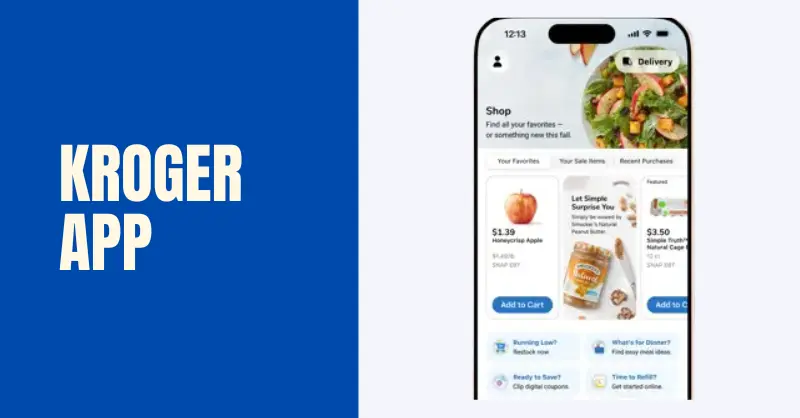
The Kroger app puts your entire savings system in one place — digital coupons, the weekly ad, fuel points, your shopping list, grocery pickup, and store locator all connected through one account. This guide covers how to download it, sign in, use every major feature, and fix the problems that trip people up most often.
How to Download the Kroger App
The Kroger app is free and available on both Android and iPhone:
- Android: Search “Kroger” on Google Play and install the app published by The Kroger Co.
- iPhone/iOS: Search “Kroger” in the App Store — look for the same publisher to avoid unofficial versions
If you shop at a regional Kroger banner — Ralphs, Fred Meyer, King Soopers, Fry’s, or Smith’s — that banner has its own dedicated app built on the same system. Download the one matching your local store name; your account credentials and fuel points work across all of them.
Kroger App Sign In With Phone Number
After downloading, sign in with the email or phone number tied to your Kroger account. Most shoppers use phone number sign-in since it’s the same identifier used at the register checkout pin pad.
Sign in method:
- Open the app and tap “Sign In”
- Enter your phone number or email and password
- Enable Face ID or fingerprint login for faster future access (optional but recommended)
If you can’t sign in, try resetting your password through the “Forgot Password” link, or check that the email/phone you’re entering matches what was used when the account was created.
Finding Your Kroger Alt ID
Your Alt ID is the phone number linked to your Kroger account — it’s what you enter at checkout instead of scanning a physical card. To find it in the app, go to Account → Shopper’s Card, and your registered phone number appears as your Alternate ID. You can also find it by going to Settings → Account Details in most app versions.
Kroger App Digital Coupons – How to Clip and Use Them
The app’s Coupons section shows all available digital coupons, organized by category or searchable by brand. Tap “Clip” to add any coupon to your card. To use clipped coupons in store, simply scan your Shopper’s Card or enter your phone number at checkout — the discounts apply automatically.
To clip all kroger coupons at once: The app doesn’t have a native “clip all” button, but some browser extensions and third-party scripts enable this on the website version. Officially, Kroger expects individual clipping per coupon.
How to view clipped coupons: Go to Coupons → Clipped Coupons (or “My Coupons”) to see everything you’ve already added.
How to scan coupons on the Kroger app: The app’s barcode scanner lets you scan a product barcode in-store to check if there’s a digital coupon available for it on the spot.
Kroger App Fuel Points – How to Check and Use Them
Your current fuel points balance is visible from the app’s home screen or under Account → Fuel Points. The balance shows how many points you have and the per-gallon discount they unlock at your nearest Kroger Fuel Center or participating Shell station.
How to use fuel points: At a Kroger Fuel Center, select “Kroger Fuel Points” on the pump screen and enter your Alt ID phone number or scan your card — the discount applies per gallon automatically. There’s a limit on how many points you can redeem per fill-up (typically 1,000 points/$1.00 off per gallon, up to 35 gallons per transaction).
Kroger App Features Worth Knowing
Shopping list: Add items from the weekly ad or search results directly to a list that syncs across devices. When doing pickup or delivery, the list flows into your cart.
Scan and Go: Select stores support scan-as-you-shop, letting you scan items with your phone and skip the traditional checkout line.
Cash back: A cash-back section within the app lets you load offers, buy the eligible item, and receive a credit back to your Shopper’s Card for a future visit.
Apple Pay / contactless: Tap to pay using Apple Pay or Google Pay at checkout — works alongside your Shopper’s Card for the same transaction.
EBT: You can add an EBT card to the app for online orders (pickup and delivery). Using EBT in-store still uses the physical card at the pin pad alongside your digital account.
Store locator: The app’s map shows nearby stores with live hours, pharmacy status, and fuel center availability — including which banner serves each location.
What Is the Kroger App and How Does It Work?
The Kroger app is a free mobile application that connects your Kroger account with all savings tools in one place. It allows users to access digital coupons, weekly ads, fuel points, and shopping lists directly from their phone.
Once you sign in using your phone number or email, the app automatically links your Shopper’s Card. Every time you shop, your discounts, rewards, and fuel points are applied when you scan your account at checkout.
The app is designed to make grocery shopping faster, cheaper, and more organized without needing paper coupons or physical cards.
Kroger App Not Working (Common Fixes)
App crashing or blank screen: Force-close the app, clear the cache (Android: Settings → Apps → Kroger → Clear Cache), and reopen. If it persists, uninstall and reinstall.
Kroger app down today: Check Kroger’s social media or third-party outage trackers for system-wide issues — occasional server outages affect both app and website.
Coupons not clipping: Sign out, sign back in, and try again. If the app still won’t clip, use Kroger.com in a browser instead — clips made on the website sync to your card immediately.
Kroger app not applying coupons at checkout: Usually means the coupon wasn’t clipped before the transaction, or the specific product didn’t match the coupon requirements exactly.
Not sending verification code: Check your spam folder, verify the correct phone number is on file, or try signing in with email instead.
Frequently Asked Questions
Is the Kroger app free to use?
Yes, the Kroger app is completely free on both Android and iPhone.
How do I log in to the Kroger app?
You can sign in using your email or phone number linked to your Kroger account.
Can I use the Kroger app at Fred Meyer or Ralphs?
Yes. The same login works across Kroger-family banner apps, and rewards are shared.
Why is my Kroger app not working?
It may be due to outdated version, server issues, wrong login details, or app cache problems.
How do I find digital coupons in the Kroger app?
Go to the “Coupons” section, browse available offers, and tap “Clip” to add them to your account.
Where can I see my Kroger fuel points?
Your fuel points are shown on the app home screen or under the Fuel Points section in your account.
Why are Kroger coupons not applying in the app?
Usually because the coupon was not clipped, expired, or the product does not match requirements.